Integration Guide
Integration Guide
Connect IEFYX to scanners, Jira, Slack/Teams and the REST API.
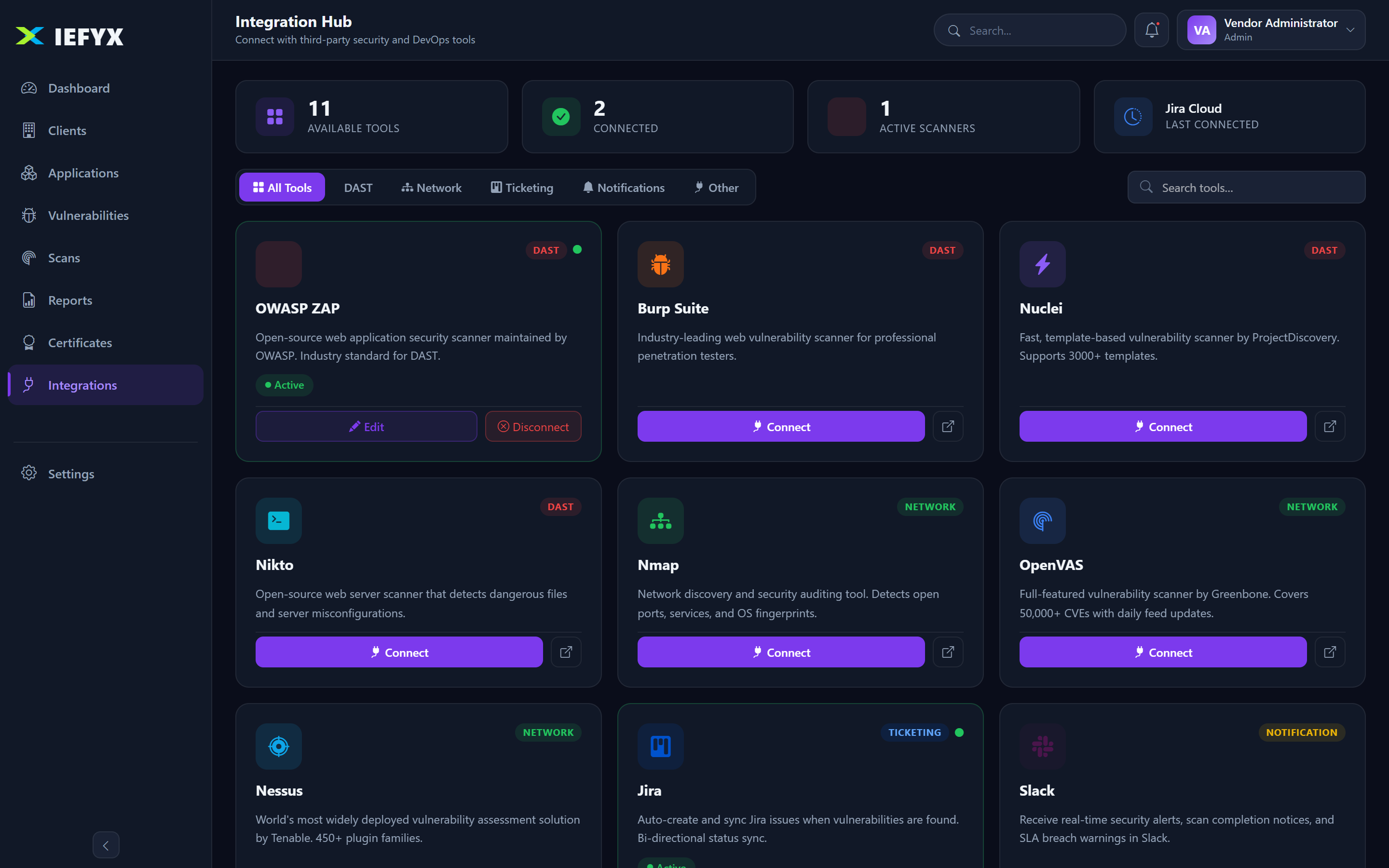
Prerequisites. Integrations require the integrations entitlement (Professional/Enterprise) and the Admin role to create.
1. Supported Integrations
| Category | Tools | Status |
|---|---|---|
| Scanners | ZAP, OpenVAS, Nessus, Burp, Nuclei, Nikto, Nmap, Custom | ✅ Native |
| Ticketing | Jira | ✅ Native (push & sync) |
| Ticketing | ServiceNow / others | Custom connector / Not native |
| Communication | Email (SMTP) | ✅ Built in |
| Communication | Slack, Microsoft Teams | ✅ Notification integrations |
| SIEM | Generic / custom connector | Category present; dedicated adapter Roadmap |
| EDR/XDR, AWS/Azure/GCP | — | Not currently available |
2. Connecting a Scanner
- Integrations → Add Integration → choose the tool type (ZAP, Nessus, etc.).
- Enter the base URL and API credentials (stored securely; never returned in plain text).
- Optionally configure field mapping (external severity/status → IEFYX values).
- Test Connection → save when it succeeds.
Tip. Test Connection re-validates the target URL (including SSRF protections) before reaching out — always run it before saving.
3. Running Scans & Importing Findings
- Scans → Trigger Scan (Admin/Penetration Tester; counts toward monthly assessments).
- Poll status until complete.
- Import Findings to create vulnerabilities from the scan results.
4. Jira Ticketing
- Connect a Jira integration (tool type
jira) with base URL and credentials. - On a finding → Push to Jira creates a ticket; the ticket key/URL are saved on the finding.
- Sync Jira keeps status aligned.
Note. A finding can only be pushed once — if it already has a linked Jira ticket, push is blocked. Use Sync instead.
5. Slack / Teams Notifications
Add a notification-category integration (Slack or Teams) with the webhook/endpoint and credentials to receive alerts.
6. REST API & Webhooks
- Authenticate with a Bearer JWT (interactive) or an Admin-created API key (machine-to-machine).
- All modules expose REST endpoints under
/api(customers, applications, vulnerabilities, reports, certificates, etc.). - The Razorpay payment webhook (
POST /api/razorpay/webhook) is HMAC-signature authenticated.
Creating an API key
- Settings → API Keys (requires apiAccess entitlement).
- Create Key → copy and store it securely (shown once).
- Revoke unused keys from the same screen.